Songsterr Guitar Tabs & Chords
- 4.2
- Rating
- 5.00M
- Installs
- Free
- Price

 Analysis by App-foxy
When I use Songsterr Guitar Tabs & Chords, I am not treating it like a passive songbook. Its central idea is much more practical: the tab is connected to an interactive player, so I can hear the part while following the notes on screen. That changes the experience from guessing where a finger should go to checking the rhythm, order, and movement of a part as I learn it.
That focus makes the app especially interesting for guitarists, bass players, and drummers who learn from tabs but often get stuck when a static page does not explain how the notes are supposed to sound. Songsterr, developed by Songsterr, sits in the Music & Audio category and is free to install, with optional in-app purchases priced at $9.99 per item. I found the free starting point useful, but the real question is whether its interactive approach fits the way you practice.
Why the interactive player matters more than a large tab library
The app’s headline strength is not simply having a large collection. It is the relationship between the written part and the playback. A tab can tell me which fret or drum hit appears next, but the player helps me understand timing and phrasing. That is important when a riff looks easy on paper yet feels awkward when I try to play it at the correct pace.
You May Also Like

 Blood Strike: 2.5 Anniversary
Blood Strike’s Loadouts Turn Every Drop Into a Tactical Gamble
A close look at Blood Strike’s custom loadouts: how fast access to signature weapons reshapes its battle royale rhythm, rewards preparation, and narrows the gap between fights.

 Pandora - Music & Podcasts
Pandora’s Music Is Easy to Start, but Harder to Recover
Pandora’s strength is its low-effort path from a seed to a station. Its weak spot is how much confidence it asks you to place in connection, setup, and quiet recovery.

 8 Ball Pool
 Is Built on Rivalries, Rematches, and Routine
A close look at the rivalries, rematches, shared routines, and unanswered safety questions that turn a quick pool match into a persistent mobile community.

 Samsung Music
’s Quiet Strength Is Playing What You Already Own
Its reach comes less from spectacle than from dependable access to a personal library. That simplicity is both the app’s strongest retention engine and its ceiling.

 AccuWeather: Weather Radar
AccuWeather Review: A Quick, Clear Forecast for Everyday Decisions
For everyday plans, the best forecast is the one you can understand quickly. AccuWeather makes rain timing, radar, and local conditions easy to act on, with a few trade-offs.

 Hill Climb Racing
Why Hill Climb Racing Still Turns Crashes Into One More Run
A tiny car, a bumpy hill and one more upgrade: Hill Climb Racing keeps resurfacing because its simple chaos makes every near-miss feel personal.
More From Our News Desk



I can follow a line visually and listen for the moment each note belongs. For a guitarist, that means the tab becomes less like a diagram and more like a guided rehearsal. For bass, where the groove can be difficult to judge from notation alone, hearing the part in sequence helps reveal where notes sit against the beat. Drum parts benefit for a different reason: the written symbols can be easier to interpret once I hear the pattern moving.
The most useful feature is the connection between sight and sound. Instead of repeatedly switching between a tab page and another audio source, I can keep the reference and the written part together. That reduces a small but real source of frustration during practice: losing my place while trying to verify whether I am reading the rhythm correctly.
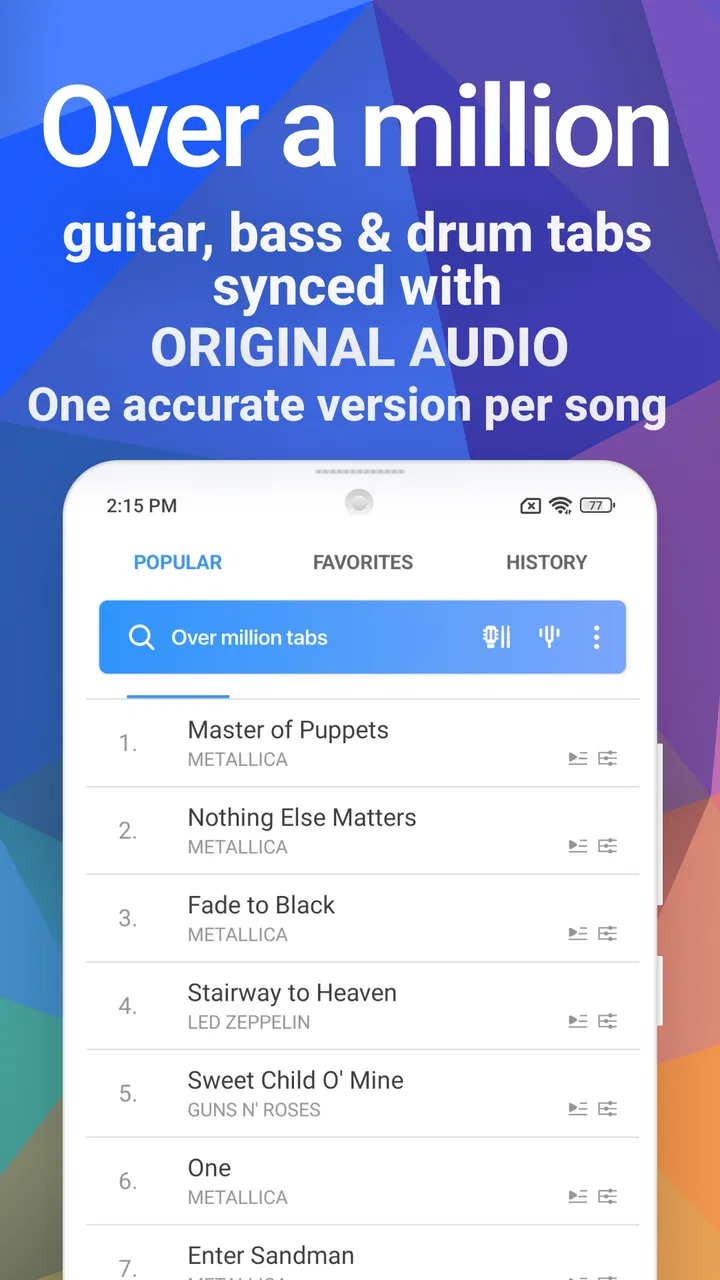
The catalog is broad enough to support different levels of interest, from someone checking a familiar riff to a player working through a complete part. The store summary describes over a million guitar, bass, and drum tabs and chords, but the number alone is not the reason I would recommend it. A huge library only helps when the player can quickly find a useful arrangement and then work with it in a controlled way.
What the player changes during practice
My preferred way to use the app is to begin by listening rather than immediately trying to play. I watch the notes move, identify the repeating shape, and notice where the part changes. This first pass prevents me from memorizing finger positions without understanding the musical phrase. After that, I pick one short section and repeat it until the movement feels natural.
This workflow is more effective than attempting an entire song from the first bar. A long tab can look intimidating, especially when the part includes repeated patterns with small variations. By treating the player as a map, I can separate the recognizable foundation from the transitions that actually need attention.
For a beginner, the interactive display can answer a question that ordinary chord charts often leave open: how long should I hold this shape, and when should I move? It does not replace a teacher’s explanation of posture, technique, or musical interpretation, but it gives me a concrete reference for the sequence. That makes solo practice less vague.
Experienced players can use it differently. I would not need the app to explain every basic chord, but I might use it to check a particular fill, bass movement, or drum variation. In that situation, the value comes from quickly isolating the part I want to understand rather than searching through a general video and waiting for the right moment.
A realistic evening practice session
Imagine I have twenty minutes after work and want to learn a bass line without committing to a full lesson. I can open the tab, listen once to understand its shape, then concentrate on the first recurring phrase. I play along slowly enough to keep my hands relaxed, stop when a transition feels unclear, and replay that passage until I can anticipate it rather than chase it.
Next, I try the same phrase without looking constantly at the screen. If I lose the groove, I return to the player and compare the timing. This is where the app feels more useful than a screenshot of notation. The screenshot may show me what to press, while the moving reference helps me recognize when to press it.
With a guitar, I might use the same process for a riff that contains quick changes between open and fretted notes. With drums, I would pay closer attention to the pattern’s spacing and accents. The instruments are different, but the practical benefit is similar: the part can be studied in small musical units instead of treated as one large task.
A useful habit is to listen for the shape of a phrase before worrying about speed. If I begin by chasing the original pace, mistakes can become part of my muscle memory. I get better results when I first make the sequence clean, then gradually make it more fluid. The app’s interactive format supports that kind of deliberate practice, even though the discipline still has to come from me.
Where Songsterr fits among ordinary alternatives
Traditional chord sheets remain better for quick accompaniment. If I only need the basic chords to sing along, a simple chart can be faster to scan and less distracting. It may also be preferable when I want to make my own rhythm choices rather than follow a detailed part.
Video lessons have another advantage: a person can demonstrate hand position, picking direction, posture, and musical feel. Songsterr cannot take the place of that visual instruction. When I am struggling because of technique rather than because I do not know the notes, a well-explained video or an in-person teacher is the stronger option.
Static tab websites can be convenient when I want to print a page or keep a simple reference beside my instrument. Their uncluttered format may suit a player who already knows the song and only needs a reminder. The trade-off is that I have to supply the timing information myself, often by listening elsewhere.
Songsterr is strongest in the middle ground between those choices. It gives me more musical context than a bare chord sheet and more direct written guidance than a video that moves too quickly. I would choose it when I want to hear and read the same part at once, especially when the rhythm is the main obstacle.
The practical friction I noticed
The interactive format can also make me more dependent on the screen. When I stare at the moving notes for too long, I may follow them accurately without really memorizing the part. That creates a false sense of progress: I can play along while the app is running, but struggle when I try to perform without it. I recommend using the player as a guide, then deliberately practicing short sections away from the display.
Another limitation is that a written arrangement is still an interpretation of a performance. Even when the notes are correct for the version I am studying, the feel may depend on articulation, dynamics, muting, or small timing choices that are not obvious in tab form. I treat the app as a strong reference, not as the final word on how a part must sound.
There is also a learning curve in deciding how much information to follow. A newcomer may focus on every symbol at once and become overwhelmed. I get more from it when I choose one goal per pass: first the rhythm, then the fingering, then the transition between phrases. That turns a busy display into a sequence of manageable questions.
The free price makes it easy to try without committing immediately, but the optional purchases matter if I want the complete experience offered through paid items. I would begin with the material that is available to me and judge whether the interactive player genuinely improves my practice before spending anything. The benefit is personal: someone who only needs occasional chords may not gain enough to justify an upgrade.
Who will get the most from it
I think Songsterr is a particularly good match for self-taught players who can read basic tab but have trouble translating it into timing. It is also useful for intermediate musicians who know their instrument and want a fast way to inspect a specific part. The ability to study guitar, bass, and drum material makes it more versatile for people who play more than one instrument or want to understand how parts fit together.
It is less suitable for someone looking for a complete beginner course. The app can show me what a part contains, but it does not replace a structured path through tuning, technique, hand position, rhythm training, and musical fundamentals. A new player who cannot yet read tab may need a teaching resource first, then return here when they are ready to learn songs.
I would also hesitate to recommend it as the only tool for a performer who needs polished backing tracks, detailed coaching, or a full arrangement customized to a particular live setup. Its strength is learning and checking parts, not replacing every part of rehearsal preparation.
The app has a Teen content rating, so families should keep that classification in mind when deciding whether it suits a younger player. It has been available since January 23, 2012, and its current version is 6.4.23, with Android support starting at version 7.0. Those details make it accessible to many existing devices, although I would still check compatibility before planning a practice setup around an older phone or tablet.
Small habits that make the app more effective
First, I recommend using it to diagnose one problem at a time. If a riff sounds wrong, I do not immediately restart the whole song. I identify whether the issue is note choice, timing, or a transition, then replay only the relevant passage. This saves practice time and prevents frustration from spreading across a part I already understand.
Second, I listen before I look for fingerings. The visual tab is tempting, but hearing the phrase first helps me build an internal sense of its direction. Once I know what the line should feel like, the notation becomes easier to interpret and I am less likely to play every note with the same mechanical emphasis.
Third, I use the app as a bridge toward independence. After several successful play-alongs, I close the reference and test my memory. If I can only continue while watching, I have learned the screen rather than the music. Short, screen-free checks reveal which transitions still need work.
Finally, I compare the written part with my own musical goal. If I am accompanying a singer, the exact tab may be more detail than I need. If I am trying to reproduce a recognizable bass or drum performance, that detail may be precisely why I opened the app. Choosing the right level of fidelity keeps the tool helpful instead of turning practice into note collecting.
My recommendation after using it
Songsterr earns its place on my device because the interactive player solves a real learning problem: it connects written tab with timing in the same practice space. Its average rating is 4.2 from around 58 thousand ratings, and the app has passed 5 million installs, which reflects broad interest without telling me whether it will suit every musician. For me, the deciding factor is not popularity but whether I need help hearing how a tab should move.
I would recommend trying it if you regularly find yourself asking, “I know which notes are written here, but how do they fit together?” It is especially valuable for focused riff practice, checking bass movement, and understanding drum patterns without jumping between several references. I would skip it, or use it alongside another resource, if I mainly want simple chord sheets, formal lessons, or technique demonstrations.
The best way to judge it is to choose a part that has genuinely confused you, listen through it, and practice it in short sections. If the combination of sound and notation helps you make progress faster than a static chart, the app is doing exactly what it should. If you only need a handful of basic chords, its deeper interactive approach may feel unnecessary.
Overall, I see it as a focused practice companion rather than a complete music school. Used with patience, a real instrument, and occasional screen-free repetition, it can turn an uncertain tab into a clearer plan for playing. That is a modest promise, but in everyday practice it is a useful one.
FAQs for Songsterr Guitar Tabs & Chords
01What is Songsterr Guitar Tabs & Chords, and how does it work?
Songsterr Guitar Tabs & Chords is a music app designed for guitarists, bassists, and drummers. It provides access to a vast library of accurate guitar tabs and chords for thousands of songs. The app features a user-friendly interface, allowing users to view tabs, listen to audio playback, and learn songs efficiently with real-time scrolling and tempo control.
02Is Songsterr Guitar Tabs & Chords suitable for beginners?
Yes, Songsterr is suitable for beginners as well as experienced musicians. The app offers a variety of songs across different genres and difficulty levels. Beginners can benefit from its intuitive interface and features like loop and slow down, which help in learning complex parts at a comfortable pace.
03Does Songsterr Guitar Tabs & Chords require an internet connection?
While Songsterr offers offline access to saved tabs, an internet connection is required to browse and download new tabs from its extensive library. Having a stable connection ensures you can explore the latest additions and updates to the catalog anytime.
04Are there any in-app purchases or subscriptions within Songsterr?
Songsterr offers a free version with basic features, but to unlock advanced features like offline access, full-screen mode, and print functionality, users can opt for a subscription. The premium version enhances the learning experience with additional tools and an ad-free environment.
05Can Songsterr Guitar Tabs & Chords be used on multiple devices?
Yes, Songsterr can be used across multiple devices. Users can log in with their account on any supported device, ensuring access to their saved tabs and settings. This cross-platform compatibility makes it easy to switch between devices without losing progress.
Pros
- Extensive library of guitar tabs.
- High-quality
- accurate chord diagrams.
- Real-time playback with tempo control.
- Offline access to saved tabs.
- User-friendly interface design.
Cons
- Limited free version features.
- No option for custom tunings.
- Ads in the free version can be intrusive.
- Requires internet for full library access.
- Subscription needed for full features.

Songsterr Guitar Tabs & Chords
Gallery